
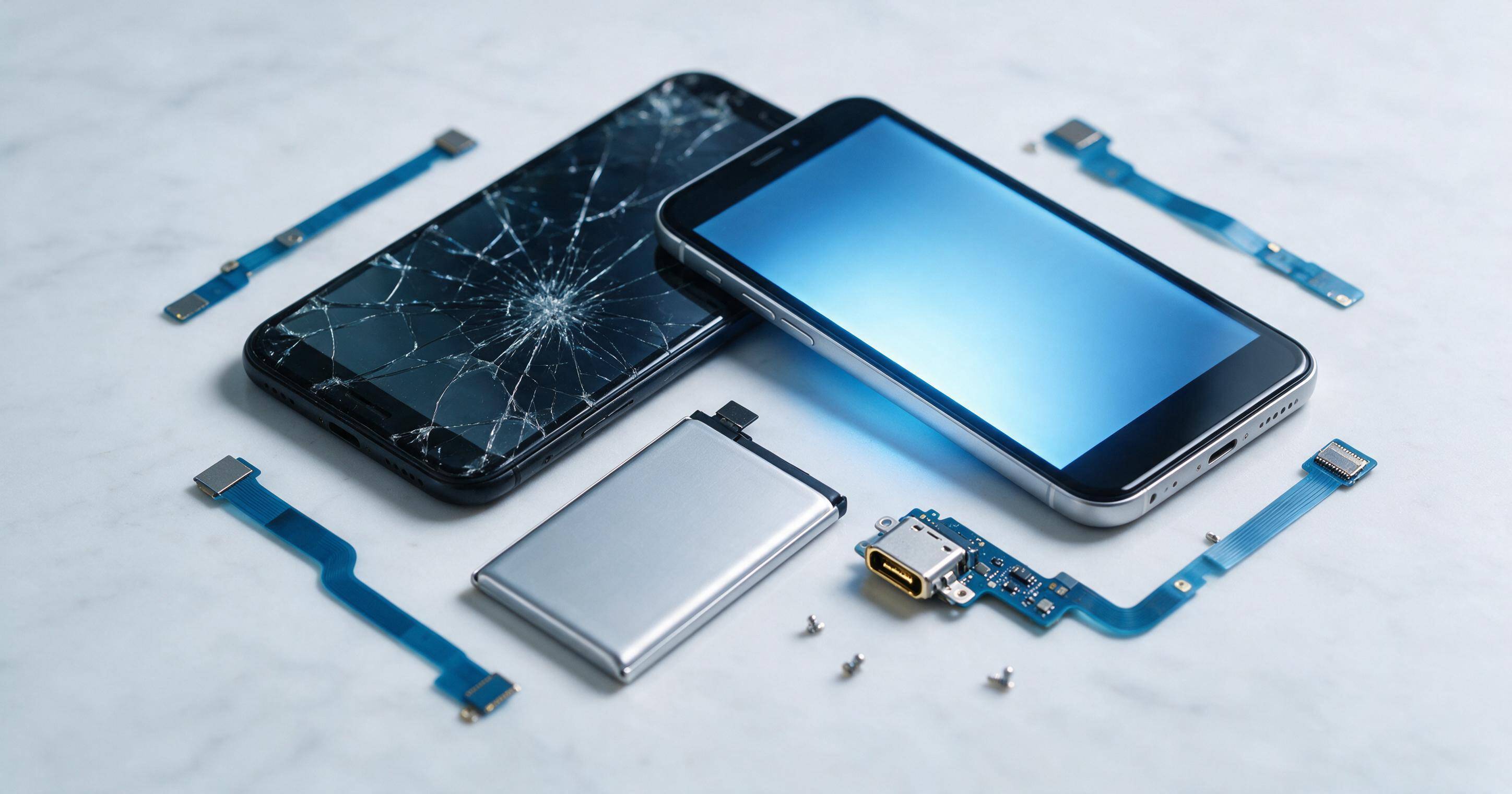
Finding reliable huawei parts can feel overwhelming when your device suddenly stops working the way it should. Whether you are a professional phone repair technician or someone trying to fix a cracked screen at home, sourcing the right components makes all the difference between a lasting repair and a frustrating redo. This guide walks you through everything you need to know about huawei parts, from choosing the right supplier to understanding which components matter most for a successful repair.
Why Huawei Parts Matter for Every Repair
Smartphones are complex devices built from dozens of small components working together. When one part fails, whether it is a battery losing its charge or a cracked LCD display parts assembly, the entire phone can become unusable. This is why sourcing dependable huawei parts is so important. Using low quality or mismatched components often leads to further damage, shortened battery life, or a screen that never quite responds the way it should.
At E-Tech61, we understand that repair technicians and everyday users alike need access to Huawei replacement parts that meet strict quality standards. A repair is only as good as the parts used to complete it, and that principle guides everything we offer.
Understanding the Different Types of Huawei Parts
Huawei produces a wide range of devices, and each model requires its own set of components. Below are some of the most commonly requested categories when it comes to huawei parts.
Screens and Displays
The screen is often the first thing to break on a smartphone. A single drop can crack the glass or damage the touch sensitivity underneath. For users searching for Huawei screen replacement options, one popular request is the Huawei P30 Lite Service Pack Silver LCD Touch Screen. This particular assembly combines the LCD display parts and the touch digitizer into one unit, making installation simpler and reducing the risk of alignment issues during the repair process.
Screen assembly units like this one are especially useful because they eliminate the guesswork of matching separate glass and LCD components. A full assembly ensures color accuracy, touch responsiveness, and a secure fit within the phone housing.
Batteries and Power Components
Battery degradation is one of the most common reasons people search for Huawei parts. Over time, lithium batteries lose their ability to hold a charge, and phones that once lasted all day may barely make it through a few hours. The Huawei P20 Pro Battery Replacement is a frequently requested item for this exact reason.
A proper battery module replacement restores normal charging cycles and helps prevent issues such as unexpected shutdowns or swelling, which can occur when an old battery is pushed beyond its safe lifespan. Choosing an OEM replacement part rather than a generic alternative also helps maintain the phone's original performance and safety standards.
Charging Ports and Connectors
Nothing is more frustrating than a phone that will not charge properly. Loose connections, bent pins, or worn out ports are common culprits. The Huawei Replacement Charging Port Board Connector addresses this exact problem by giving technicians a direct replacement for the charging port flex cable and its connected circuit board.
This type of repair part is essential because the charging port endures constant use, plugging and unplugging a cable multiple times per day. Over months or years, this repeated stress wears down the internal connectors, which is why replacing the entire board often solves charging issues more reliably than attempting a partial fix.
Flex Cables and Internal Wiring
Flex cables connect different components inside the phone, allowing signals to pass between the motherboard, camera module, buttons, and display. The Huawei Nova 8 Pro Main Flex Cable is a good example of how central these small components are to a phone's overall function. Without a properly working flex cable, buttons may stop responding, the camera module may fail to activate, or the screen may lose connection entirely.
Because flex cables are delicate, sourcing genuine Huawei spare parts for this category is particularly important. A poorly manufactured aftermarket cable can snap during installation or fail shortly after, leading to repeat repairs and unhappy customers.
Also Read:
Samsung Galaxy S21 Ultra Cases
What to Look for When Buying Huawei Parts
Not all suppliers offer the same level of quality, and knowing what separates a reliable Huawei parts supplier from a subpar one can save you time, money, and frustration.
- Authenticity and Sourcing Always look for Huawei original OEM parts whenever possible. Original components are manufactured to the exact specifications of the device, ensuring proper fit and function. While compatible aftermarket parts exist, they can sometimes vary in quality, especially for critical components like the motherboard or battery module.
- Supplier Reputation A trustworthy Huawei spare parts supplier should offer clear product descriptions, accurate compatibility information, and responsive customer service. At E-Tech61, we prioritize transparency so customers know exactly what they are ordering, down to the specific model and part number.
- Warranty and Return Policies Even high quality components can occasionally have manufacturing defects. A dependable supplier should offer a reasonable warranty period and a straightforward return process if something does not work as expected.
- Compatibility Verification Huawei has released many models over the years, and parts are rarely universal across devices. Always double check that the mobile phone repair part you are purchasing matches your specific model number, not just the general product line.
Common Repairs That Require Huawei Parts
Understanding when you need to replace a component can help you decide whether a repair is worth pursuing or whether professional help is required.
Cracked or Unresponsive Screens
If your phone's display shows lines, discoloration, or stops responding to touch, this usually points to damage in the screen assembly. Replacing the display with a proper Huawei screen replacement, such as the P30 Lite Service Pack Silver LCD Touch Screen mentioned earlier, is often the most effective solution.
Poor Battery Life or Swelling
A phone that drains quickly, shuts off randomly, or has a slightly bulging back cover housing is showing signs of battery failure. Addressing this early with a proper battery module replacement prevents further damage to surrounding components.
Charging Issues
If your device charges intermittently or not at all, the charging port flex cable or connector board may be worn out. Replacing the Huawei Replacement Charging Port Board Connector often resolves these problems completely.
Camera or Button Malfunctions
When the camera module stops focusing correctly or physical buttons stop responding, a damaged flex cable is often to blame. Components like the Huawei Nova 8 Pro Main Flex Cable are designed specifically to restore this functionality.
Also Read:
14 Pro Max Screen Replacement
Why Choose E-Tech61 for Huawei Parts
Sourcing dependable Huawei mobile accessories wholesale or individual repair components should not be complicated. E-Tech61 was built around the idea that repair professionals and everyday users deserve access to genuine, reliable smartphone components without unnecessary hassle. From smartphone components like flex cables and connectors to larger assemblies such as full screen replacements, our catalog covers the essentials needed for a wide range of Huawei repairs.
We understand that every repair matters, whether it is a single device fixed at home or a bulk order for a repair shop handling dozens of devices each week. That is why our inventory focuses on quality, accurate compatibility details, and parts that hold up under real world use.
Tips for a Successful Huawei Parts Installation
Even with the right component in hand, installation matters just as much as sourcing. Here are a few practical tips to keep in mind.
Use proper tools. Precision screwdrivers, spudgers, and heat guns designed for phone repair reduce the risk of damaging surrounding components during disassembly.
Work in a clean, static free environment. Dust and static electricity can damage sensitive components like the motherboard or camera module.
Follow model specific guides. Every Huawei model has a slightly different internal layout, so following a guide specific to your exact device number reduces the chance of error.
Test before fully reassembling. Whenever possible, power on the device and test the new component before closing up the housing completely. This allows you to catch any connection issues early.
Handle flex cables with care. These thin connectors are easily torn or bent. Always disconnect and reconnect them gently, using the correct angle to avoid damaging the connector pins.
How to Diagnose Which Component Needs Replacing
Before ordering any replacement, it helps to properly diagnose the issue rather than guessing. Misdiagnosing a problem often leads to buying the wrong component or spending money on a part that will not actually fix the underlying issue.
Start by observing exactly how the phone is behaving. If the touch response feels delayed or certain areas of the display do not register taps, this usually points toward the digitizer within the screen assembly rather than the LCD panel itself. If the display shows color distortion, flickering, or dark spots, the LCD display parts are more likely the source of the problem.
For charging concerns, plug the device into multiple different cables and power sources before assuming the charging port flex cable is at fault. If the phone charges normally with one cable but not another, the issue may simply be a worn out cable rather than the internal connector board. However, if charging fails across every cable and outlet tested, replacing the connector board is usually the correct next step.
Battery issues can sometimes be confirmed through the phone's built in battery health settings, if available, or by observing how quickly the battery percentage drops under normal use. A battery that drops rapidly from full charge to critically low within a short period is a strong indicator that a battery module replacement is needed.
For flex cable failures, intermittent issues are often the biggest clue. A camera module that works sometimes but not other times, or buttons that respond inconsistently, often point to a loose or damaged flex cable connection rather than a fully failed component.
Also Read:
Silicone Gel Shockproof Cover
Bulk Ordering and Repair Shop Considerations
Repair shops and technicians who service multiple devices each week often benefit from ordering Huawei mobile accessories wholesale rather than purchasing components one at a time. Buying in larger quantities not only reduces the per unit cost but also ensures that common replacement parts are always on hand when a customer walks in with a damaged device.
When considering bulk orders, it helps to review which models are most frequently brought in for repair. Screens and batteries tend to be the most requested categories across nearly every smartphone brand, including Huawei devices. Keeping a stocked inventory of these core components, along with a smaller supply of specialty items like specific flex cables and connector boards, allows a repair shop to handle same day repairs more consistently.
At E-Tech61, we work with repair professionals to help identify which Huawei spare parts are most relevant to their customer base, making it easier to plan inventory around real demand rather than guesswork.
Frequently Asked Questions About Huawei Parts
-
Are aftermarket Huawei parts as good as original components?
Aftermarket parts vary significantly in quality. While some compatible options perform nearly as well as original components, others may have shorter lifespans or slightly reduced performance. Whenever budget allows, choosing Huawei original OEM parts tends to offer the most consistent results. -
How long does a typical screen replacement take?
For an experienced technician, replacing a screen assembly usually takes between thirty minutes and an hour, depending on the specific model and how the internal components are arranged. -
Can I replace a battery myself without professional tools?
It is possible with basic tools such as a screwdriver set and a spudger, though care must be taken when handling the battery module and any adhesive holding it in place. Following a model specific guide reduces the risk of damaging surrounding components. -
What should I do if a replacement part does not fit correctly?
Double check the exact model number of your device against the product listing. Many Huawei models share similar names but require different components, so confirming compatibility before installation helps avoid this issue entirely. -
Does E-Tech61 offer support for identifying the correct part?
Yes, our team can help confirm compatibility details for specific models, ensuring you order the correct mobile phone repair part the first time. - Final Thoughts on Huawei Parts
Whether you are replacing a battery, fixing a cracked screen, or resolving a stubborn charging issue, having access to quality huawei parts makes every repair smoother and more reliable. From the Huawei P20 Pro Battery Replacement to the Huawei Nova 8 Pro Main Flex Cable, choosing genuine components tailored to your exact model ensures your device performs the way it was originally designed to.
At E-Tech61, our goal is to make sourcing these components simple, transparent, and dependable. With a wide selection covering screens, batteries, charging boards, and internal cables, we aim to be a trusted partner for repair professionals and everyday users searching for authentic Huawei replacement parts. Next time your device needs a repair, remember that the right part makes all the difference in getting your phone back to full working condition.
Share:
Samsung Parts UK: The Complete Guide From E-Tech61 Team
iPhone 15 Screen Replacement: Complete UK Buyer's Guide (All 4 Models)