
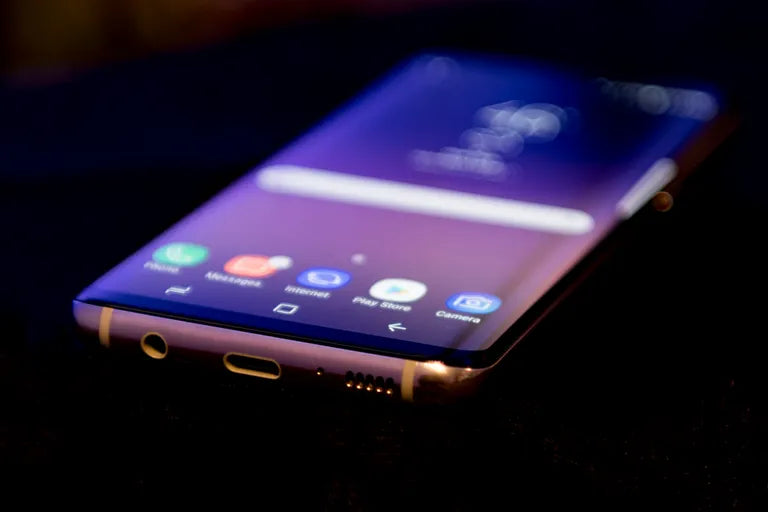
Look, I've been fixing phones for years, and the Samsung Galaxy S8 Plus still shows up on my workbench pretty regularly. This phone came out in 2017, but people still love it enough to repair rather than replace. The curved AMOLED display is gorgeous when it works—and a complete headache when it doesn't.
If you're reading this, chances are you've got a cracked screen staring back at you, or maybe dead pixels driving you crazy. I get it. Before you hand over $200+ to a repair shop or start watching random YouTube videos, let me walk you through what actually matters when dealing with an S8 Plus OLED replacement.
Why the S8 Plus Screen Breaks So Easily
That beautiful curved edge design? Yeah, it's the same reason your screen cracked. Samsung went all-in on aesthetics with the S8 Plus, wrapping the display around the edges. It looks incredible, but physics doesn't care about pretty designs. Drop it at the wrong angle, and that curved glass takes the full impact.
I've seen S8 Plus screens crack from falls that wouldn't scratch an iPhone 8. The display panel replacement isn't just about swapping glass—you're dealing with a complete assembly that includes the digitizer, the OLED panel, and the frame. This isn't like the old days where you could just pop off a screen protector and call it fixed.
Understanding What You're Actually Replacing
Here's something most blogs won't tell you: when you search for "Samsung S8 Plus OLED replacement," you're going to find wildly different prices. Some listings show $45 screens, others are $180. That's not random pricing—you're looking at completely different products.
The cheap screens are usually aftermarket LCD panels, not OLED. Yes, LCD. Sellers know people search for "OLED" so they list it that way, but you're getting inferior technology. The colors look washed out, the blacks aren't true black, and the always-on display feature might not work properly.
Original OEM display assemblies are what Samsung actually used when they built your phone. These cost more because you're getting the same AMOLED technology with proper color calibration. At E-Tech61, we see people make this mistake constantly—they buy the cheapest option, install it, then wonder why their phone looks terrible.
Also Read:
Samsung Galaxy S21 Ultra Cases
What You'll Need for the Replacement
Let me be straight with you: this isn't a beginner-level repair. If you've never opened a phone before, the S8 Plus is not where you want to start. But if you're determined (or broke like I was when I started), here's your shopping list:
A proper mobile phone screen repair kit with plastic pry tools, not metal ones. Metal scratches everything and can short circuit components. You need thin guitar picks or plastic spudgers.
Heat gun or hair dryer—the back glass is glued down hard. Some people use iOpener heating pads, which work great if you've got $20 to spare.
Suction cup for lifting the rear glass panel. The cheap ones from hardware stores work fine.
Replacement adhesive strips, specifically cut for the S8 Plus. Don't use generic double-sided tape from the craft store. Just don't.
Isopropyl alcohol (90% or higher) for cleaning old adhesive. The 70% stuff from your medicine cabinet has too much water.
If you're also dealing with other issues, you might need a Samsung Galaxy S8 Plus Replacement Battery or a Galaxy S8 Plus Replacement Rear Cover. The battery is actually easier to replace than the screen, believe it or not.
The Real Cost Breakdown
Let's talk money because that's probably why you're considering DIY in the first place.
Best OLED replacement for Galaxy S8+ (genuine AMOLED): $120-$180
Aftermarket decent quality: $80-$120
Sketchy no-name brand: $40-$60
Tools if you don't have them: $15-$30
Adhesive and replacement parts: $10-$15
So you're looking at $145-$225 if you go the DIY route with quality parts. Professional Samsung S8 Plus screen replacement cost runs $180-$280 depending on your location. The difference isn't huge, which is why I always ask people: what's your time worth, and how confident are you?
Step-by-Step: How to Replace Samsung S8 Plus OLED Screen
Alright, you've decided to go for it. Power off your phone completely—not sleep mode, actually off. This seems obvious, but I've seen people skip this step.
Removing the Back Glass
Start from the back, not the screen. The rear glass is easier to remove and gives you access to disconnect the battery first, which is crucial for safety.
Heat the back panel evenly for about 2-3 minutes. You want it hot enough that you can barely touch it comfortably. Too much heat and you'll damage the battery inside. Move the heat gun constantly—don't focus on one spot.
Slide a thin guitar pick under the edge near the charging port. The adhesive will resist. Be patient. Work your way around slowly, adding more picks as you go to keep the gap open. The fingerprint sensor is attached to the back glass, so don't yank it off.
Once the back is loose, carefully lift it up. You'll see a small ribbon cable connecting the Galaxy S8 Plus Replacement Fingerprint Reader to the motherboard. Use a plastic spudger to flip up the connector latch and gently remove the cable.
Disconnecting the Battery
This step prevents you from frying your phone. Remove the screws holding the metal bracket over the battery connector—there are usually three small Phillips screws. Don't lose these; they're tiny and your vacuum cleaner loves eating them.
Disconnect the battery cable using a plastic tool, not your fingers. Your skin's oils and moisture can cause corrosion on these connectors.
Removing the Broken Display
Now flip back to the front. Heat the screen edges the same way you did the back. The front adhesive is stronger because it's holding the main display.
This is where most people mess up: they pry too hard and crack the frame or damage the LCD underneath if it's not already broken. Slow and steady. The display panel replacement process takes time.
Work a pick under the glass starting from the bottom. Avoid the top where the earpiece and cameras sit—there's less room for error there. Slide the pick around the edges, cutting through the adhesive. Keep the pick shallow; you don't want to damage the OLED panel or puncture the battery.
The display connects via two ribbon cables at the top. Once you've loosened all the adhesive, carefully lift the screen from the bottom, hinging it up like opening a book. Don't pull it straight off—those cables will rip.
Remove the metal bracket covering the display connectors, then carefully disconnect both ribbon cables. Now the broken screen is free.
Installing the New Display Assembly
Clean all the old adhesive off the frame with isopropyl alcohol and a microfiber cloth. This takes forever and it's tedious, but it matters. New adhesive won't stick properly to old adhesive.
Connect your new AMOLED display assembly's ribbon cables before you seal anything. Flip up the connector latches, insert the cables straight in (not at an angle), then press down the latches.
Here's a pro tip most S8 Plus OLED screen replacement tutorials skip: test it before you glue it down. Reconnect the battery temporarily and power on the phone. Check that the touch screen works across the entire surface, that colors look right, and that there are no dead pixels. If something's wrong, finding out now saves you hours of frustration.
Everything working? Power off again, disconnect the battery, and proceed with installation.
Apply the replacement adhesive strips around the frame edge. These come pre-cut if you bought the right ones. Peel off the backing and press the new display down firmly. Start from one end and work to the other to avoid air bubbles.
Reassembling Everything
Reconnect the battery cable and replace the metal bracket. Those three tiny screws you definitely didn't lose? Put them back.
If your Galaxy S8 Plus Replacement Rear Cover is damaged, now's the time to replace it. Otherwise, reconnect the fingerprint sensor cable, apply new adhesive to the back glass, and press it down firmly.
Some people clamp their phone for 24 hours after reassembly. I've never bothered, but it probably helps the adhesive cure better.
Also Read:
iPhone 17 Pro Max Camera Lens
What Could Go Wrong (And How to Fix It)
The screen works but touch doesn't respond in certain areas—you've got a defective digitizer. This happens even with supposedly "high quality S8 Plus OLED replacement parts." Return it and get another one.
Display shows colors but they're way off—you might have an LCD panel that was sold as OLED, or the display connector isn't seated properly. Disconnect and reconnect those ribbon cables carefully.
Phone won't power on after reassembly—check the battery connection first. If that's solid, you might have damaged something during disassembly. This is why I can't stress enough: take your time.
Where to buy S8 Plus OLED display matters more than people think. Amazon has tons of options, but read the recent reviews carefully. eBay can be hit or miss. Specialty sites like Mobile Defenders or Injured Gadgets tend to have better quality control, though you'll pay slightly more.
The Battery Situation While You're In There
Since you've got the phone open anyway, check your battery. If your S8 Plus is a few years old, that battery is probably degraded. Samsung Galaxy S8 Plus Replacement Battery costs around $20-30, and you're already 80% of the way there once the back glass is off.
A swollen battery is a fire hazard. If your back glass was already lifting off slightly, that's often a swollen battery pushing it up. Replace it. Don't think about it, just replace it.
The battery on the S8 Plus has a pull tab for removal—in theory. In practice, that tab often breaks and you have to carefully pry the battery up. Heat helps soften the adhesive underneath, but be extremely careful. Puncturing a lithium battery can cause fires or toxic gas release.
Finding Affordable Samsung S8 Plus Screen Repair Options
Maybe you've read this far and decided you're not touching the repair yourself. Smart choice, honestly. Finding Samsung S8 Plus OLED replacement near me through Google Maps will show local repair shops.
Call around and ask specific questions:
- Do you use OEM or aftermarket screens?
- What's the warranty period?
- How long does the repair take?
Any shop worth your business will answer these clearly. If they dodge the OEM vs aftermarket question, they're using aftermarket and don't want to admit it.
uBreakiFix (now Asurion) does decent work with 1-year warranties, but they're pricier. Local independent shops can be excellent or terrible—check their Google reviews for recent feedback about S8 repairs specifically.
Is It Worth Fixing the S8 Plus in 2024?
This phone came out seven years ago. Samsung stopped security updates in 2021. So why are people still fixing them?
The S8 Plus still performs well for basic tasks—social media, browsing, photos, streaming. The camera holds up surprisingly well. If your phone is otherwise working perfectly and just has a broken screen, fixing it makes sense if you're not ready to drop $800 on a new device.
But here's my honest take: if you need a genuine Samsung S8 Plus display replacement AND a new battery AND your rear glass is cracked, you're looking at $200+ in parts alone. At that point, you might want to consider a used S10 or S20 for similar money with better performance and longer support.
The E-Tech61 Perspective on Phone Repairs
We've been helping people through phone repairs for years at E-Tech61, and the most important thing I can tell you is this: know your limits. There's no shame in admitting a repair is beyond your skill level. I've seen people turn a $150 screen replacement into a $400 paperweight by rushing through the process.
The Samsung S8 Plus screen replacement tutorial videos on YouTube make it look easier than it is. They edit out the 20 minutes spent carefully heating adhesive and the moments where things don't go perfectly. Real repairs are messier, slower, and more frustrating than those videos suggest.
If you do decide to tackle this yourself, work in a clean, well-lit space. Don't rush. Keep screws organized—I use a magnetic mat with sections. Take photos as you disassemble so you remember where everything goes.
Also Read:
Samsung S8 Plus OLED Replacement
What Happens After the Repair
Your newly installed screen might feel slightly different. The touch sensitivity could seem more or less responsive than the original—that's normal with aftermarket parts. Give yourself a few days to adjust.
The always-on display might not work exactly the same, especially with non-OEM screens. Some aftermarket displays don't support Samsung's always-on features properly.
Waterproofing is gone. The S8 Plus was IP68 rated from the factory, but that's impossible to restore with DIY repairs. Keep your phone away from water going forward.
Screen protectors are tricky on the S8 Plus because of the curved edges. Tempered glass protectors often don't adhere well at the curves. Film protectors work better, or you can go without and accept the risk.
When Professional Help Makes Sense
If any of this sounds overwhelming, that's your instinct telling you to find a professional. The Samsung Galaxy S8+ broken screen repair isn't the hardest phone repair out there, but it's definitely not easy.
Professional shops have better tools, experience with hundreds of these repairs, and can source genuine parts more reliably. They also carry insurance for when things go wrong, which you definitely don't have working on your kitchen table.
The value proposition of DIY only makes sense if you either enjoy the process of repairing things or you're genuinely broke and willing to risk the phone to save money. There's no judgment either way—I've been on both sides of that equation.
Final Thoughts on Your S8 Plus Screen Journey
Whether you're ordering parts for a DIY repair or searching for the nearest qualified tech, you now know what you're actually dealing with. The S8 Plus OLED replacement isn't mysterious once you understand what's involved.
This phone represented Samsung's vision of the future back in 2017, and honestly, they nailed the design. That's why people still want to keep these devices running. But technology moves on, and parts get harder to find. Quality replacement screens are already becoming scarce as suppliers shift focus to newer models.
If you're doing this repair to keep a beloved phone alive for another year, that's completely valid. Just make sure you're using genuine Samsung S8 Plus display replacement parts or at least high-quality aftermarket alternatives. Your phone deserves better than the cheapest option on page 3 of search results.
Whatever path you choose—DIY with quality parts, professional repair, or finally upgrading to something newer—you're making an informed decision now. That's worth more than any repair tutorial can provide
Share:
Samsung S8 Plus OLED Replacement Guide | E-TECH61
iPhone 17 Pro OLED Screen Replacement Guide