
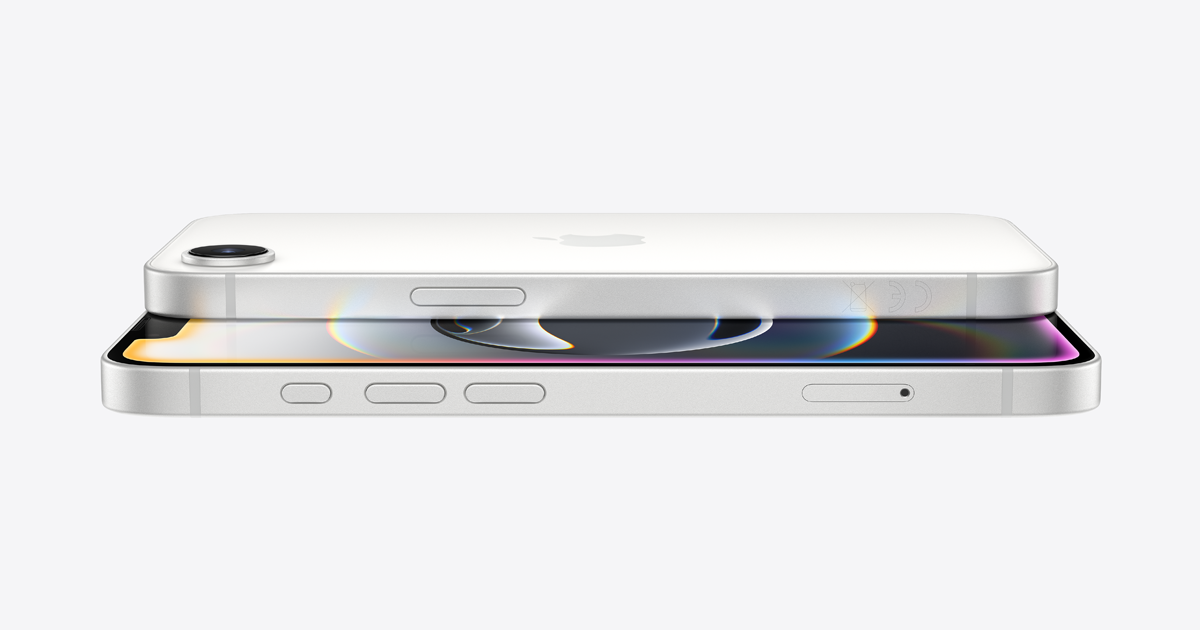
I was out hiking with a friend last autumn, somewhere deep enough in the hills that our phones both dropped to zero bars, when she casually mentioned her iPhone 16e could still send a message through satellite if anything went wrong. I remember stopping dead on the trail and asking her to explain that again, because up until that moment I genuinely had no idea Apple had pushed this kind of technology down into a more affordable model. That conversation is basically what sparked my deep dive into iPhone 16e Satellite Features, and honestly, the more I learned, the more I wished someone had explained this to me years earlier, back when I got properly lost on a different trail with a phone that was completely useless once the signal disappeared.
If you are trying to understand what this feature actually does, when it works, and whether it is something you should actually rely on, let me walk you through everything I found, mixed in with a few personal stories that made the whole thing click for me.
What Are iPhone 16e Satellite Features Really About
At the core, iPhone 16e Satellite Features let your phone communicate directly with satellites orbiting overhead when there is no cellular signal available at all. This is not some futuristic concept anymore, it is functioning technology built directly into the device, letting you send emergency messages, share your location, or in some cases even send basic texts to friends and family when you are completely off the grid.
The way I explain it to people now is a bit like comparing a walkie talkie that only works within a short range to a system that can somehow bounce your voice off something floating far above the earth and still get your message through. It sounds almost like science fiction until you actually watch it happen in real time on a screen you are holding in your hand.
Also Read:
iPhone 16e Charging Port Flex Cable
My Hiking Trip Reality Check
Standing on that trail, completely disconnected from normal cell service, my friend pulled out her phone and walked me through the process live. She pointed it toward a clear patch of sky, following the on screen prompts, and within a couple of minutes had successfully sent a short message to her sister letting her know we were fine but running late. I stood there genuinely stunned, partly impressed and partly annoyed at myself for not researching this feature sooner, especially since I had been in genuinely worrying situations before where a working connection would have made a real difference to my peace of mind.
How The Feature Actually Works Step By Step
Once you understand the basic mechanics, iPhone 16e Satellite Features stop feeling mysterious and start feeling like a genuinely clever piece of engineering. The phone detects when you have no cellular signal, then prompts you through a simple interface asking what kind of message you need to send. From there, it guides you to point your phone toward the sky, often showing a small animation indicating which direction to aim, since satellites move across specific points relative to your location rather than sitting in one fixed spot overhead.
Once the phone locks onto a satellite connection, your message gets compressed into a smaller format than a typical text, since bandwidth through satellite is far more limited than a normal cellular or wifi connection. That compression is honestly one of the cleverer parts of the whole system, since it means even a fairly weak connection can still successfully deliver something as important as your location or a short emergency message.
Why This Matters More Than People Realize
I used to assume satellite features were only relevant to serious outdoor adventurers, people summiting mountains or crossing remote deserts. Turns out that assumption was pretty naive. Plenty of everyday situations put people outside normal coverage areas, driving through rural stretches of road, camping somewhere with patchy signal, or even just visiting family in an area with weak network infrastructure. My own hiking trip was honestly a fairly mild example, nothing close to a genuine survival situation, but it was enough to show me how quickly a normal outing can turn into a moment where connectivity actually matters.
Think about it like carrying a spare tire in your car. Most drives never require it, and you might go years without ever needing that backup. But the one time you actually need it, you are genuinely grateful it was there rather than having skipped it to save a bit of trunk space.
Also Read:
iPhone 16e LCD Screen Replacement
Screen Quality And Its Connection To Reliable Use
Here is something that surprised me while researching this topic, and it ties directly into work we do regularly at E-Tech61. Using satellite features properly depends heavily on being able to clearly see the on screen prompts guiding you where to point your phone. If your display has cracks, dead spots, or dimming issues, following those directional cues becomes genuinely difficult, sometimes frustrating enough that people give up entirely during an actual emergency.
This is exactly why we always emphasize keeping your display in proper working condition, especially if you rely on features like this during outdoor activities. An iPhone 16e LCD Screen Replacement done with a quality matched panel ensures those directional prompts remain crisp and easy to follow, rather than fighting through glare, dimness, or dead pixels at the exact moment clarity matters most.
A Related Story From The Shop
A customer came in a few months back with a cracked iPhone 16e screen, mentioning almost as an afterthought that he had struggled to use the satellite feature during a recent camping trip because half his display was too damaged to read clearly. That comment stuck with me, because it highlighted something I had not fully considered before. A cracked screen is not just an aesthetic annoyance, it can genuinely interfere with functionality that actually matters in a real emergency situation. We got his screen properly replaced that same week, and he mentioned feeling noticeably more confident heading into his next trip knowing everything would display clearly if he ever needed it.
Connectivity Components Beyond The Screen
Screen clarity is not the only hardware factor tied into reliable satellite performance, either. Internal antenna connections and charging components can indirectly affect overall device performance, especially if a phone has experienced previous drop damage. An iPhone 16e Charging Port Flex Cable that has been damaged from a hard drop, for example, can sometimes affect nearby internal components depending on exactly where the impact occurred, since many of these small parts sit close together inside a device this compact.
We always recommend a full diagnostic check after any significant drop, not just addressing the obviously cracked screen but making sure everything underneath is still functioning properly too. It is a bit like checking your entire car after a minor accident rather than assuming the only damage is whatever dent you can visibly see from the outside.
Also Read:
iPhone 16 SIM Tray Purple Replacement
Comparing This Across The Wider iPhone Lineup
Something worth mentioning here, since people often ask how this compares across different current models. If you own an Apple iPhone 16 Plus, satellite connectivity works using very similar underlying technology, just packaged within that model's specific hardware layout. Screen quality matters just as much there too, and an Apple iPhone 16 Plus LCD Screen Replacement done properly ensures the same kind of clarity needed to follow satellite prompts confidently.
Stepping up to the Pro tier, an iPhone 16 Pro Max LCD Screen Replacement involves a more advanced display technology overall, but the core principle remains identical. Whatever model you own, a properly functioning screen is not just about enjoying your everyday apps and photos, it directly supports features like this one that could genuinely matter during an unexpected situation.
Practical Tips For Actually Using This Feature
Reading about satellite features is one thing, but actually knowing how to use them confidently in the moment is what really counts. Here are a few things I picked up, partly from my friend's demonstration and partly from research afterward.
Practice using the feature once in a low stakes situation, maybe during a regular hike with decent weather, so the process feels familiar rather than confusing if you ever genuinely need it under stress.
Keep your phone software updated regularly, since satellite functionality improvements and coverage expansions often roll out through routine updates rather than major yearly releases.
Maintain your device properly, including keeping your screen in good working condition, since a damaged display can genuinely slow down or complicate using this feature exactly when clarity matters most.
Familiarize yourself with which specific messages the feature supports, since capabilities have expanded over time and it helps to know exactly what you can and cannot send before you actually need to rely on it.
Why Device Maintenance Ties Directly Into Safety Features
This is honestly the part of the conversation that changed how I think about phone repairs generally. I used to view screen replacements purely as a cosmetic or convenience issue, something you do because a cracked screen looks bad or feels annoying to use daily. Learning how directly screen clarity ties into something like satellite based emergency communication reframed that completely for me. At E-Tech61, we now make a point of mentioning this connection specifically to customers who spend time outdoors, hiking, camping, or traveling through areas with unreliable cell coverage, since keeping their device in proper working order is not just about convenience anymore, it genuinely ties into their personal safety.
Final Thoughts From My Own Journey Into This Feature
Looking back at that hiking trail moment, I am honestly a little embarrassed it took watching someone else demonstrate this feature for me to finally understand how valuable it actually is. iPhone 16e Satellite Features represent a genuine leap forward in making emergency communication accessible even in an affordable model, not just reserved for the most expensive flagship devices. Understanding how it works, why screen clarity matters so much to using it properly, and how it connects to broader device maintenance has genuinely changed how I think about phone care altogether.
If you own an iPhone 16e, or any recent model offering similar functionality, take the time to actually explore this feature before you need it in a real situation. Test it out somewhere low pressure, keep your device properly maintained, and understand that a healthy, undamaged screen is not just about everyday convenience. Sometimes it is quietly supporting something that could matter far more than you expect the day you actually need it most.
Share:
iPhone 16 Pro Max Price in UK: What You Need to Know
iPhone 16e A18 Chip Speed Explained In Complete Details