
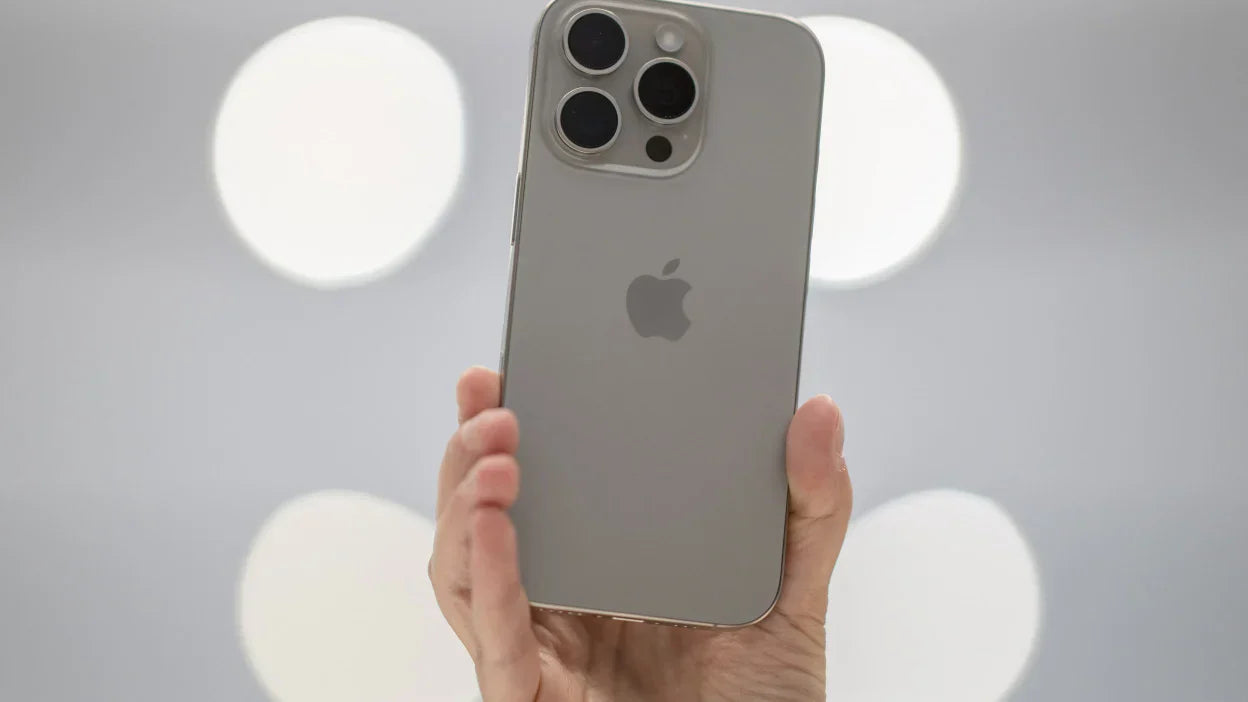
I still remember the exact sound my iPhone made when it slipped off my kitchen counter and landed screen first on tile. That sharp little crack, the kind that makes your stomach drop before you even flip the phone over. If you own an iPhone 17 and you are reading this, chances are something similar just happened to you, and you are now staring at a spiderweb of cracks wondering what an iPhone 17 Screen Replacement OLED actually costs and whether it is even worth doing. I have been down this road more times than I would like to admit, and I want to walk you through everything I have learned, both from personal experience and from years of covering phone repairs for readers just like you.
Let us get one thing out of the way first. The screen on your iPhone 17 is not just glass. It is a full OLED display assembly, and that changes everything about how you should think about repairing it.
Why iPhone 17 Screen Replacement OLED Matters So Much
Apple made a big jump with the display technology on this generation of phones. The panels are brighter, the colors are punchier, and honestly, once you get used to that deep OLED black, going back to an older display feels like watching television through a foggy window. But here is the catch. Because the screen and the display technology are so tightly integrated with the phone's internal sensors, a cheap aftermarket fix can genuinely wreck your experience. Colors shift, touch response lags, and sometimes Face ID gets weird about recognizing you at all.
When people search for iPhone 17 Screen Replacement OLED, what they usually want to know is simple. Is it safe, is it expensive, and can I trust the person doing it. I am going to answer all three honestly, the same way I would explain it to a friend over coffee.
My First Real Lesson About Screen Quality
A few years back, before I really understood this industry, I let a random kiosk in a mall replace a screen for me. It looked fine for about two weeks. Then the touch sensitivity started acting like it had a mind of its own, tapping things I never touched, ignoring things I did touch. That experience taught me something I now repeat constantly to anyone who will listen. A screen replacement is only as good as the parts and the technician behind it. It sounds obvious, but you would be surprised how many people skip this step and just chase the lowest price.
Also Read:
iPhone 17 Pro Max Lens Replacement
Signs Your iPhone 17 Actually Needs a New Screen
Not every scratch means you need a full replacement. Some signs are obvious, others sneak up on you slowly, kind of like a slow leak in a tire that you do not notice until you are stranded on the highway.
Here is what usually points to a real problem.
Visible cracks that spread across the display, even hairline ones, because moisture can creep in through those tiny gaps over time.
Dead pixels or dark patches that look like ink spilled under the glass.
Touch response that feels sluggish or registers phantom taps.
Discoloration, especially a yellow or greenish tint creeping in from the edges, which is a classic OLED aging symptom.
Flickering, particularly at lower brightness settings in a dark room.
If you are nodding along to two or more of these, it is probably time to start looking into a proper replacement rather than just living with it.
The Real Cost Breakdown
This is usually where people's eyes go straight to the number and skip everything else, so let me just give it to you plainly. A genuine OLED replacement for a standard iPhone 17 typically runs higher than older models because the panel technology itself costs more to manufacture. If you are dealing with an iPhone 17 Pro OLED Screen Replacement, expect the price to climb even further, since Pro models use a more advanced panel with tighter integration for features like the always on display and enhanced brightness range.
Compare that to something like the apple iphone 17 pro max price for the device itself, which sits at the very top of Apple's lineup. Suddenly a screen repair, even a pricier one, starts to look like a bargain compared to buying a whole new phone. I did this math myself last year when my own Pro Max screen took a hit, and honestly, seeing the full retail price of a new device next to the repair estimate made the decision pretty easy.
At E-Tech61, we always tell customers to think of screen replacement pricing in three tiers. There is the budget aftermarket option, which I genuinely do not recommend for anything beyond a temporary fix. There is the mid range option using quality OEM sourced parts, which most people end up choosing because it balances price and performance well. And then there is the premium original spec replacement, which mirrors what you would get if Apple itself handled the repair, just usually faster and at a friendlier price point.
It Is Not Just The Screen: Other Common iPhone 17 Repairs
Here is something I wish someone had told me years ago. When your screen cracks, it is worth checking the rest of the phone too, because impact damage rarely stays contained to one spot.
Charging Port Issues
An iPhone 17 Charging Port Flex Cable Replacement often gets requested alongside screen repairs, and it makes sense once you think about it. A hard drop can jostle internal connections even if the port looks fine from the outside. If your phone is charging slowly or the cable feels loose no matter how you angle it, that flex cable might be the real culprit, not your charger.
SIM Tray Troubles
I have also seen plenty of cases involving the iPhone 17 Pro SIM Card Tray getting bent or stuck after a drop. It seems like such a small, insignificant piece of metal, but try using your phone without a working SIM tray and you will quickly realize how much you depend on it. A tray replacement is usually quick and affordable, so there is no reason to ignore it if yours is misbehaving.
Back Glass Damage
And then there is the back glass. If you picked up the stunning iPhone 17 Purple Back Glass color option, you already know how much personality that finish adds to the phone. It is honestly one of my favorite launches Apple has done in a while, a shade that photographs beautifully but also shows scratches and cracks pretty clearly against that lighter tone. Replacing the back glass alongside a front screen repair is common, especially after a drop that flips the phone or bounces it off a hard corner.
Also Read:
iPhone 17 Pro OLED Screen Replacement
Pro Versus Pro Max: Does It Change The Repair Story
If you are comparing the iphone 17 pro against the apple iphone 17 pro max, the repair considerations shift slightly because the Pro Max uses a larger panel with a bit more surface area exposed to impact. In my experience, larger screens tend to crack more dramatically on impact simply because there is more glass to absorb the shock. That said, the underlying OLED technology and repair process are nearly identical between the two, so the choice really comes down to your comfort with the larger form factor rather than any meaningful difference in repair difficulty.
Something worth mentioning here too. Knowing the iphone 17 pro max price helps put repair costs into perspective. When you see how much a brand new flagship costs, a well done screen repair suddenly feels like one of the smarter financial decisions you can make for your device.
DIY Kits: Tempting But Risky
I get the appeal, truly. There is something satisfying about fixing things yourself, and YouTube makes it look almost effortless. But OLED panels on the iPhone 17 involve incredibly delicate ribbon cables and precise adhesive placement. One slightly bent connector and you could end up with a phone that turns on but shows nothing at all. I tried a DIY kit once on an older device, mostly out of stubbornness, and ended up paying a repair shop double what I would have originally spent just to undo my own mistake. Lesson learned the hard way, and I share it so you do not have to repeat it.
What To Look For In A Repair Provider
Whether you go through E-Tech61 or somewhere else entirely, here are the things I personally check before trusting anyone with my phone.
Ask what grade of OLED panel they use, and get a straight answer, not vague marketing language.
Ask about warranty coverage on both parts and labor.
Ask how long the repair actually takes, since a rushed job on delicate display connectors often leads to problems down the line.
Read recent reviews, not just the five star ones, but the middle ground reviews too, since those tend to be the most honest.
How Long Does A Screen Replacement Actually Take
People always ask me this, usually while pacing around their kitchen holding a cracked phone like it is a wounded pet. The honest answer is that a well handled iPhone 17 Screen Replacement OLED job should not eat your entire day. Most shops that know what they are doing can complete the swap in under two hours, sometimes closer to forty five minutes if they already have the panel in stock and the technician is experienced with this specific generation of phone. What eats up time is usually diagnostics beyond the screen itself, checking the battery connector, inspecting the charging port flex cable, making sure the front facing camera and Face ID sensors still align properly under the new glass.
I once waited nearly four hours at a shop that clearly had never handled an OLED panel with this level of sensor integration before. They kept pausing, recalibrating, restarting the process. It was stressful, and honestly a little embarrassing for them. That day taught me to always ask upfront how many iPhone 17 units a shop has actually worked on, not just phones in general. Experience with this exact model matters more than people realize.
Also Read:
iPhone 17 Pro Max Camera Lens
Protecting Your Screen After The Repair
Once you have gone through the process of getting a new OLED panel installed, the last thing you want is to end up back in the same chair a month later. A few habits have genuinely saved me from repeat repairs. Get a proper tempered glass protector applied immediately, before the phone even leaves the counter if possible. Invest in a case with raised edges around the screen, since flat drops onto the display are the most common cause of cracks in the first place. And try to build the habit of setting your phone down deliberately rather than tossing it onto furniture, which I know sounds almost silly to mention, but that careless toss is exactly how my own screen cracked the first time.
Temperature matters too, more than most people expect. OLED panels do not love extreme heat, so leaving your phone on a dashboard in direct sunlight for hours can genuinely shorten the lifespan of a freshly replaced display. I learned this one during a road trip a couple summers ago, when my phone got uncomfortably warm sitting in a cup holder near the windshield for half a day. Nothing broke that time, but it was a wake up call about how much daily habits affect the hardware we depend on.
Wrapping This Up
Looking back at every cracked screen I have dealt with over the years, the biggest thing I have learned is patience pays off. Rushing to the cheapest option almost always costs more eventually, whether that is in frustration, in a second repair bill, or in losing features you actually relied on daily. Taking the time to understand iPhone 17 Screen Replacement OLED options, comparing part quality, and choosing a provider who actually explains things to you rather than just quoting a number, makes a real difference.
If there is one thing I want you to take away from this, it is that your screen is the part of your phone you touch and look at more than anything else you own. It deserves a repair that actually respects that. Take your time, ask the right questions, and do not be afraid to treat this decision with the same care you put into choosing the phone in the first place
Share:
iPhone 17 vs iPhone 16 Full Comparison | E-Tech61
iPhone 17 Concept vs. Reality: How Close Will Apple Get?